> ## Documentation Index
> Fetch the complete documentation index at: https://docs.jaasskills.com/llms.txt
> Use this file to discover all available pages before exploring further.
# Publishing walkthrough
> Publishing the Personal Notes skill through the web UI, screenshots included
Every screenshot on this page is from an actual local run of the stack (`jaas-ui` + `jaas-skills` + `jaas-guardrails`, 2026-09-08) publishing the [Personal Notes skill](/guide/writing-a-skill) end to end — nothing staged or mocked, including the one step that didn't go as planned.
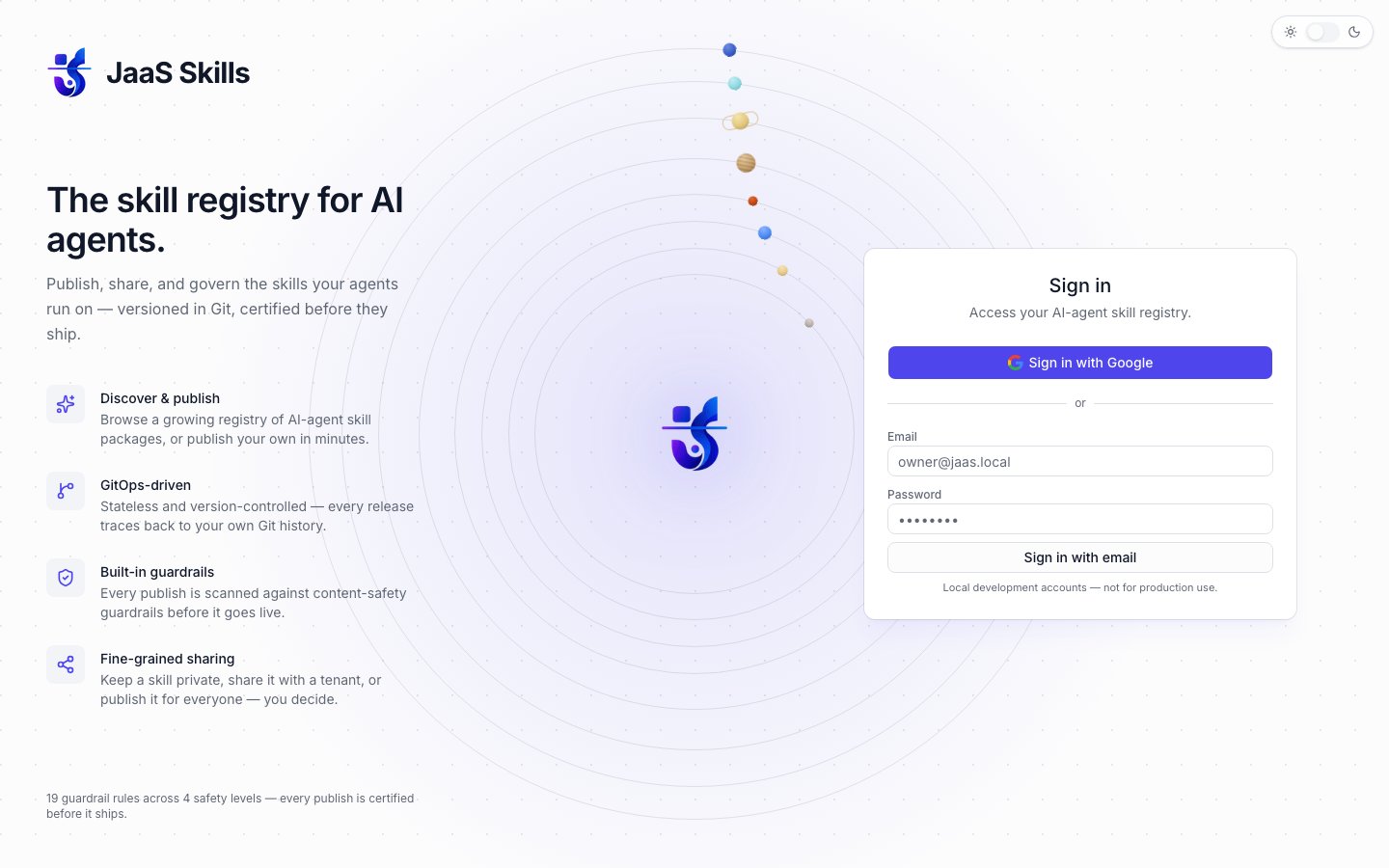
## 1. Sign in
`/login` offers Google sign-in, or the local dev-login path (email + password, gated entirely behind `JAAS_DEV_LOGIN_PASSWORD` — see [Authentication](/getting-started/authentication)).
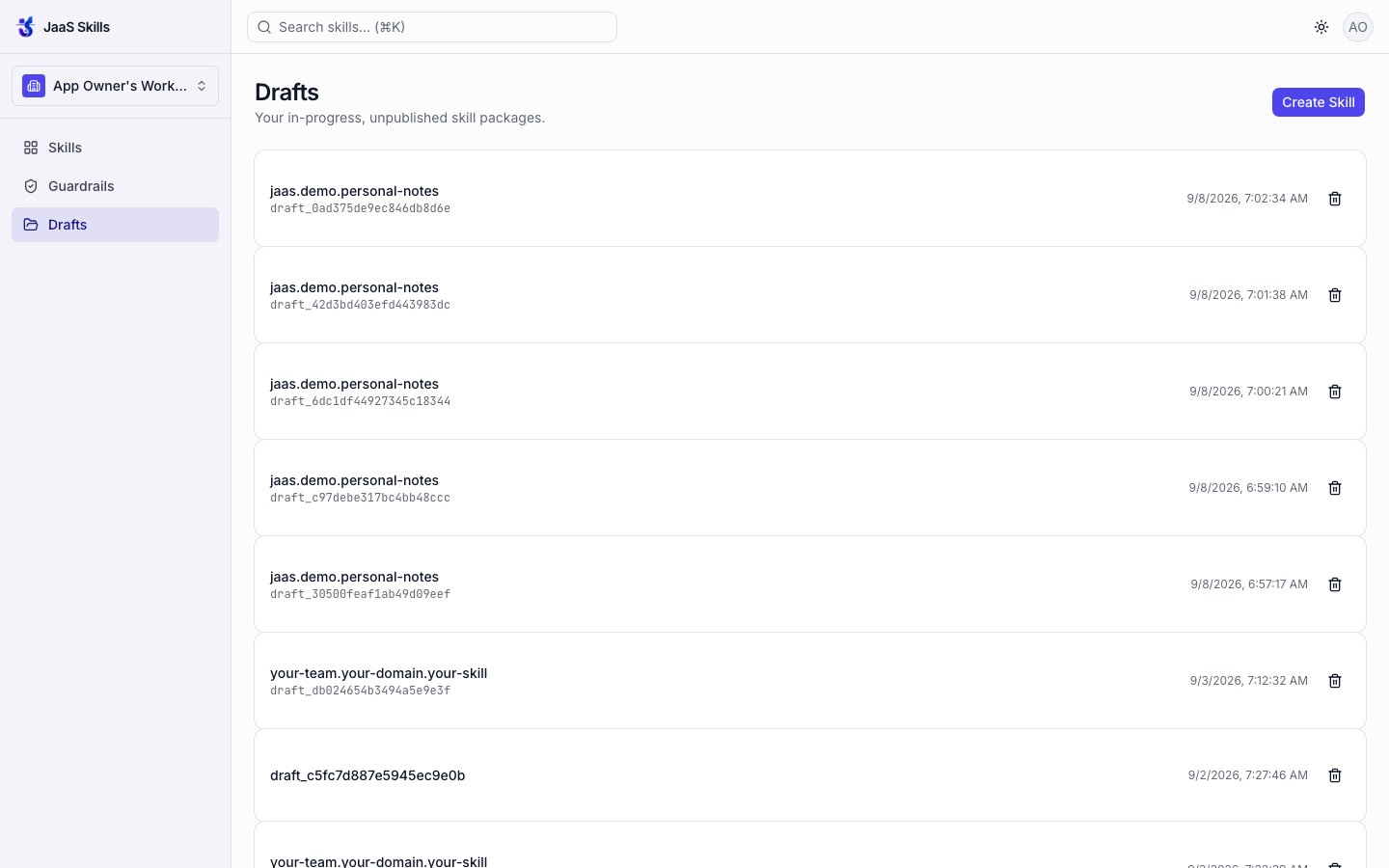
 ## 2. Drafts
The **Drafts** tab lists in-progress, unpublished skill packages. **Create Skill** starts a new one.
## 2. Drafts
The **Drafts** tab lists in-progress, unpublished skill packages. **Create Skill** starts a new one.
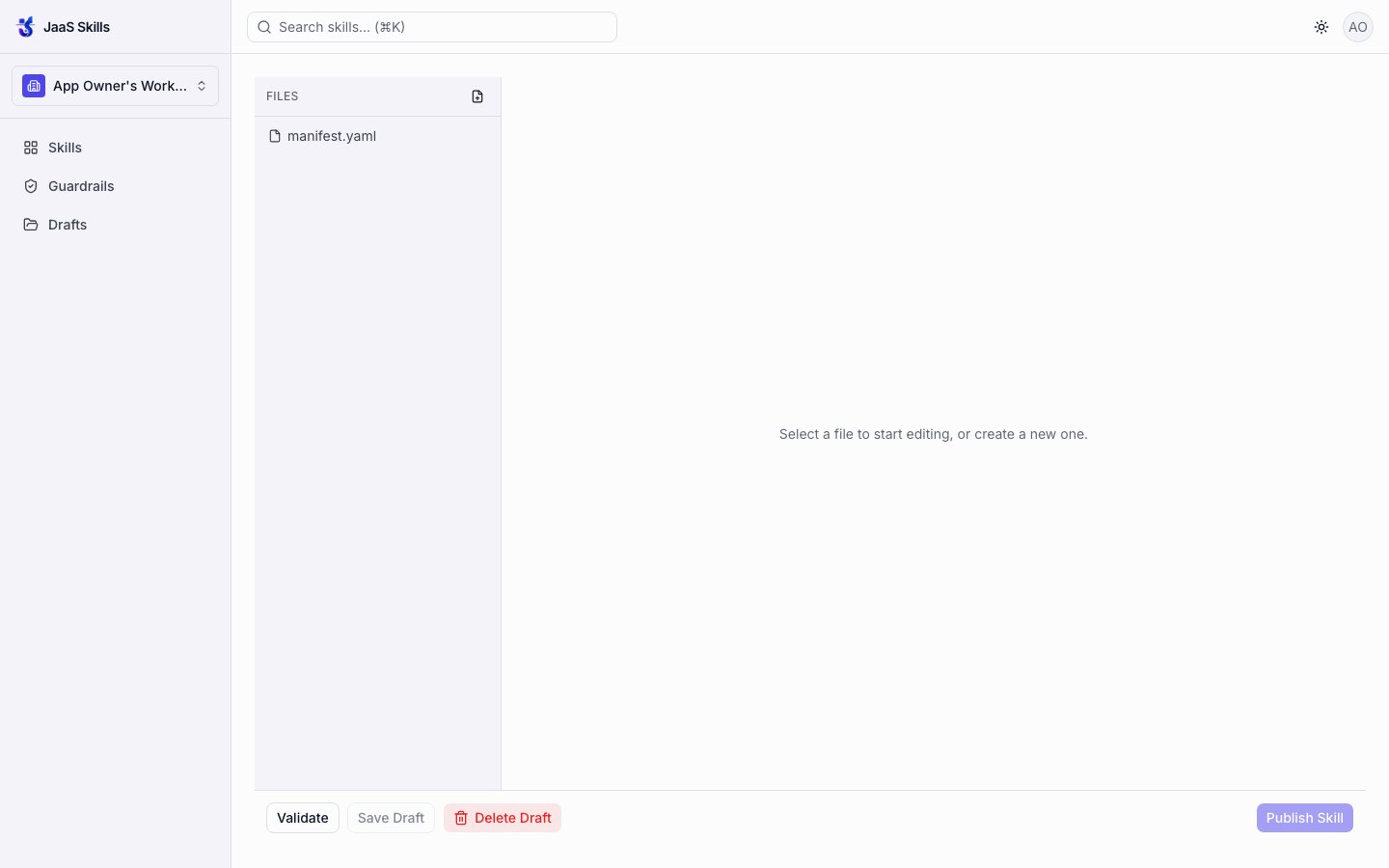
 Choosing **Local only** (work in the browser editor, publish when ready) over **GitHub repo** (commit to a connected repo branch — see [Git-native release](/publishing/git-release)) opens an editor seeded with a `manifest.yaml` scaffold and nothing else yet.
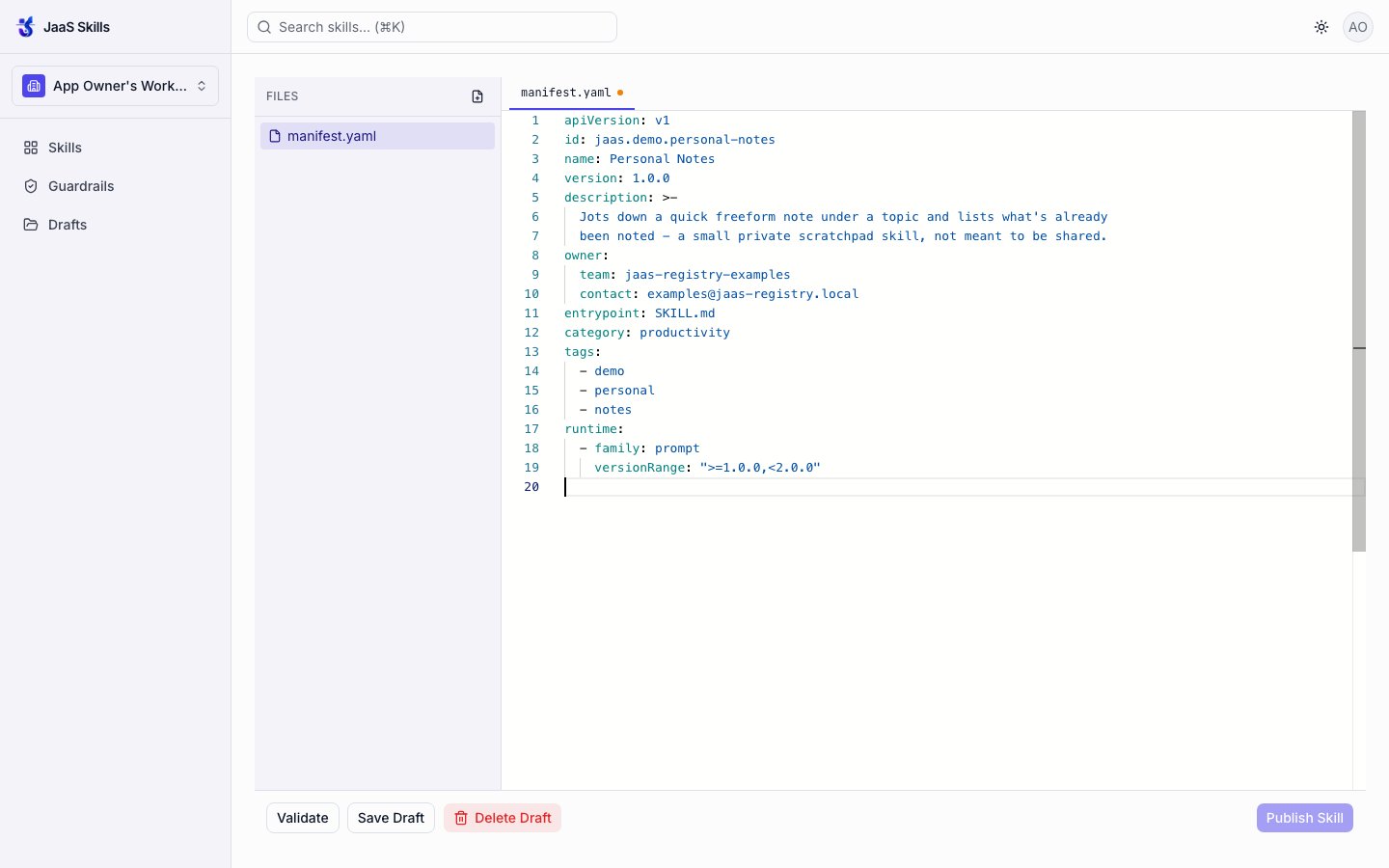
 ## 3. Fill in the files
Editing `manifest.yaml` to the real content from [Writing a skill](/guide/writing-a-skill):
## 3. Fill in the files
Editing `manifest.yaml` to the real content from [Writing a skill](/guide/writing-a-skill):
 Adding `SKILL.md` as a second file via the file panel's add-file control:
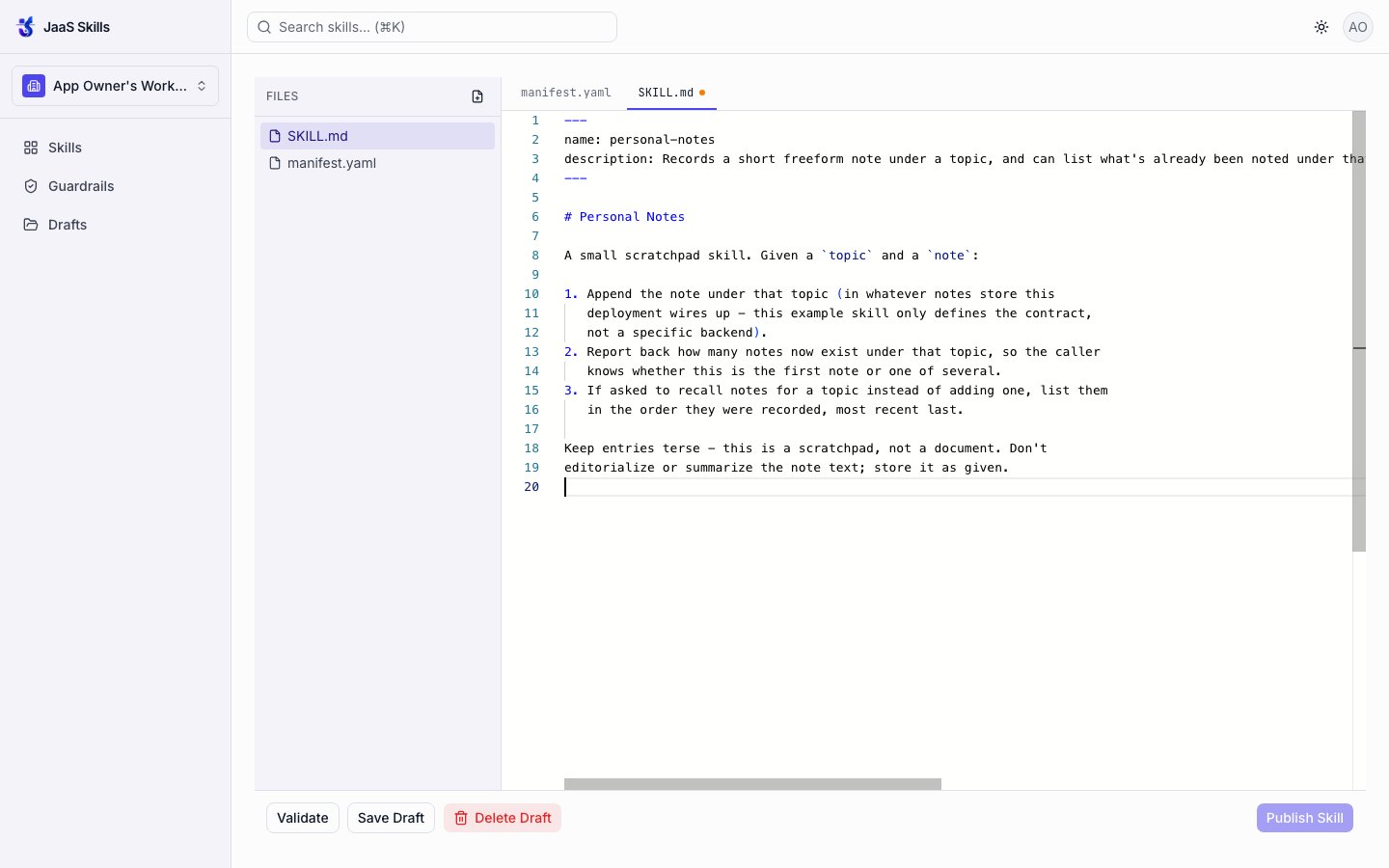 `schema.json` goes in the same way (a third file, same add-file control) — not shown separately here since it's the identical JSON from the previous page.
## 4. Validate
**Validate** runs structural validation plus a live guardrails scan, with no publish yet.
`schema.json` goes in the same way (a third file, same add-file control) — not shown separately here since it's the identical JSON from the previous page.
## 4. Validate
**Validate** runs structural validation plus a live guardrails scan, with no publish yet.
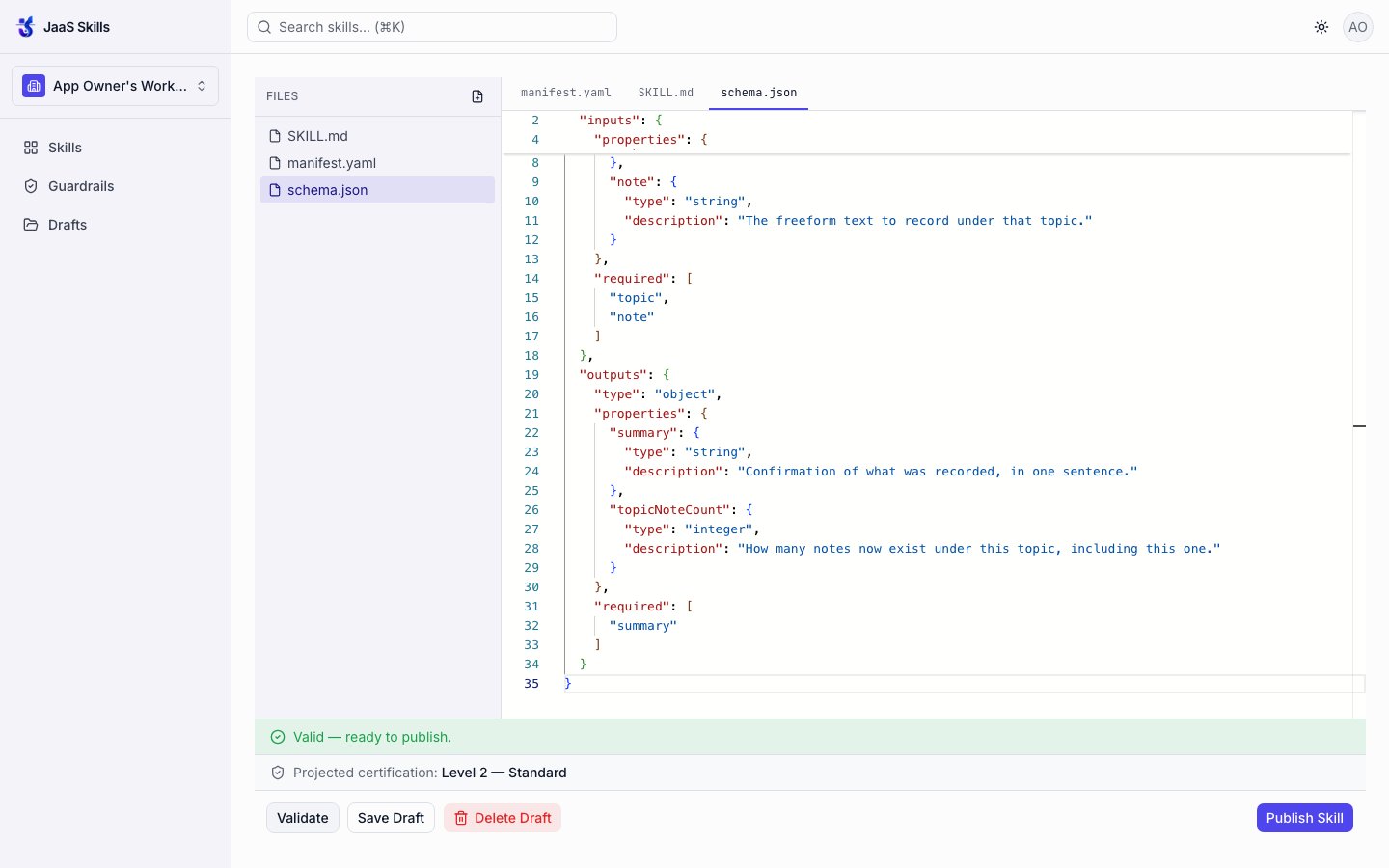 Result: **Valid — ready to publish**, with a **projected certification of Level 2 — Standard** shown before anything is committed — exactly the "certification this draft would receive right now" projection described in [the guardrails level model](/guardrails/levels).
## 5. Publish — the corner case, live
Clicking **Publish Skill** the first time hit this, unedited:
Result: **Valid — ready to publish**, with a **projected certification of Level 2 — Standard** shown before anything is committed — exactly the "certification this draft would receive right now" projection described in [the guardrails level model](/guardrails/levels).
## 5. Publish — the corner case, live
Clicking **Publish Skill** the first time hit this, unedited:
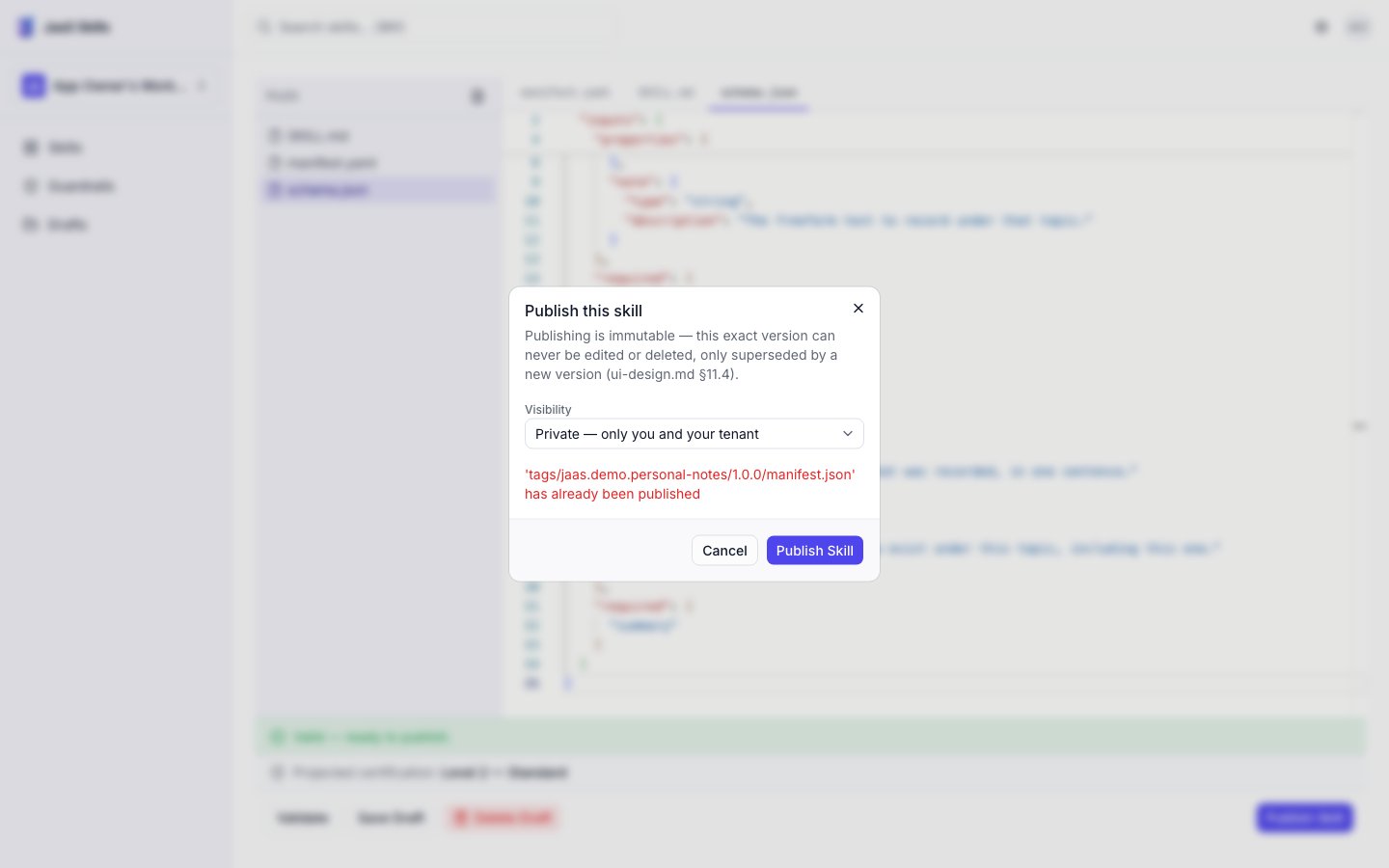 This is [the documented duplicate-publish corner case](/reference/corner-cases) firing for real — `jaas.demo.personal-notes:1.0.0` had already been published to this local registry from an earlier run, and the registry correctly refused to overwrite it. The fix is exactly what the docs say: bump the version and re-publish. Retrying at `1.0.1` succeeded:
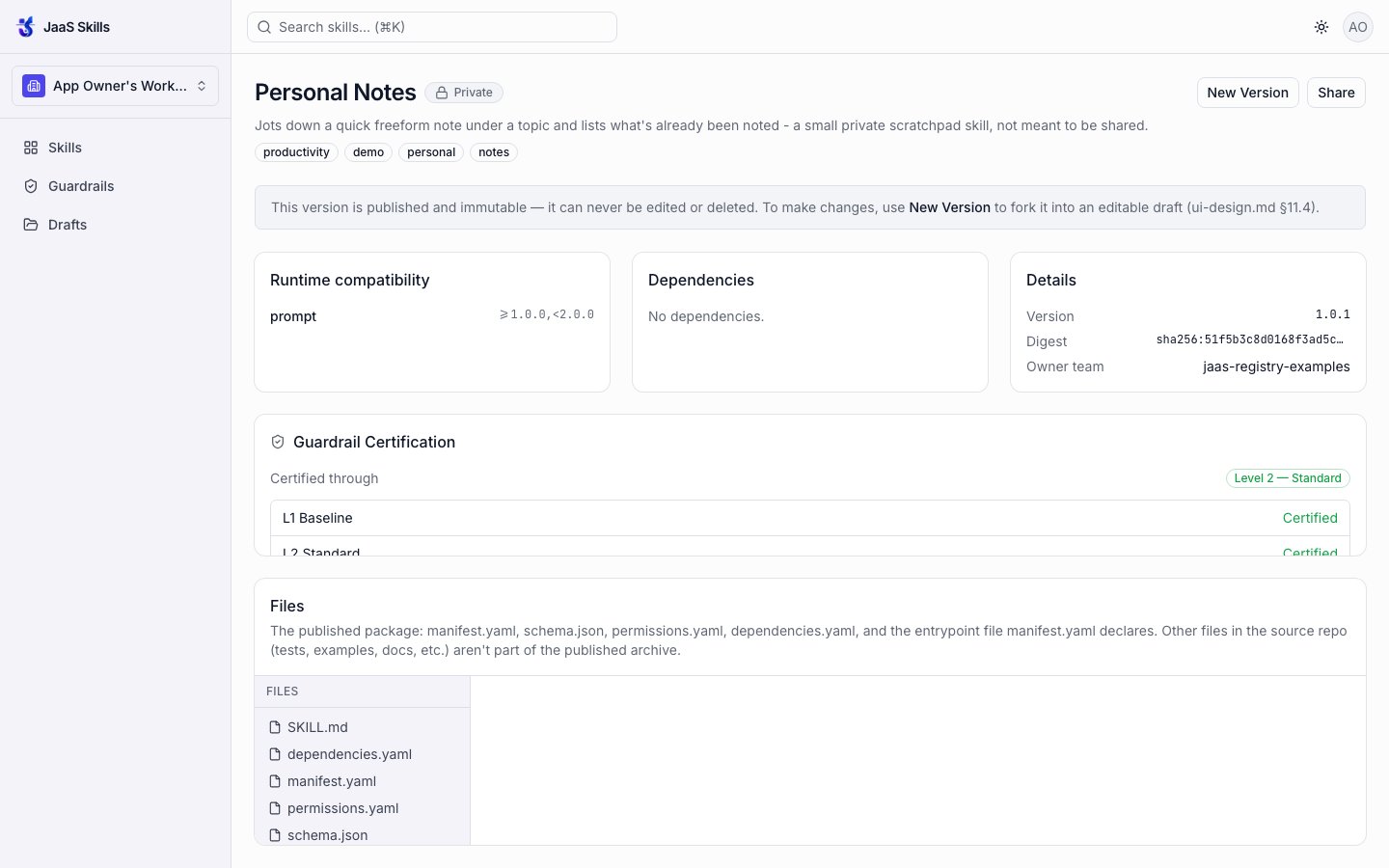 A few things worth noticing on this page, all documented behavior confirmed live:
* **"This version is published and immutable — it can never be edited or deleted."** Changing it means **New Version**, which forks it into a new editable draft.
* **Files: `SKILL.md`, `dependencies.yaml`, `manifest.yaml`, `permissions.yaml`, `schema.json`.** Only `manifest.yaml` and `SKILL.md` were ever written by hand — `dependencies.yaml` and `permissions.yaml` were auto-defaulted to empty, exactly as [Package layout](/packages/layout) describes.
* **Guardrail Certification: Level 2 — Standard, with L1 Baseline and L2 Standard both shown Certified.**
## 6. Find it in search
A few things worth noticing on this page, all documented behavior confirmed live:
* **"This version is published and immutable — it can never be edited or deleted."** Changing it means **New Version**, which forks it into a new editable draft.
* **Files: `SKILL.md`, `dependencies.yaml`, `manifest.yaml`, `permissions.yaml`, `schema.json`.** Only `manifest.yaml` and `SKILL.md` were ever written by hand — `dependencies.yaml` and `permissions.yaml` were auto-defaulted to empty, exactly as [Package layout](/packages/layout) describes.
* **Guardrail Certification: Level 2 — Standard, with L1 Baseline and L2 Standard both shown Certified.**
## 6. Find it in search
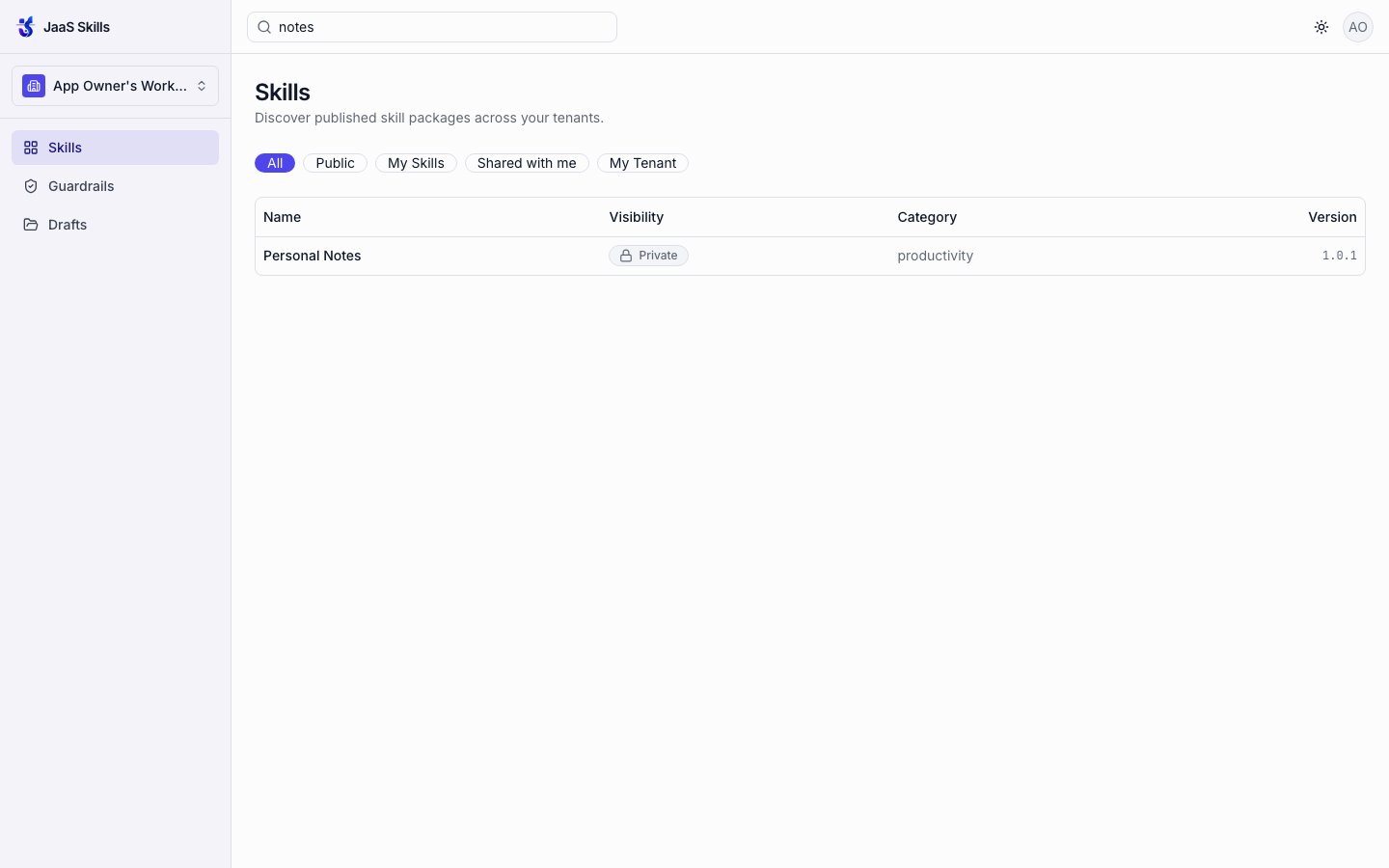 One thing that isn't a bug, but is worth knowing: search matches indexed tokens (id segments, name words, tags, category, description words — see [the ranking model](/reference/api)), not arbitrary substrings. Searching the hyphenated `personal-notes` (the id's own suffix) returned nothing; searching `notes` (an actual tag) found it immediately. If a search comes up empty, try a real word from the name/tags/category rather than an id fragment.